Apple is adding a toggle on iPhones, iPads, and Macs for those who dislike the liquid glass design.
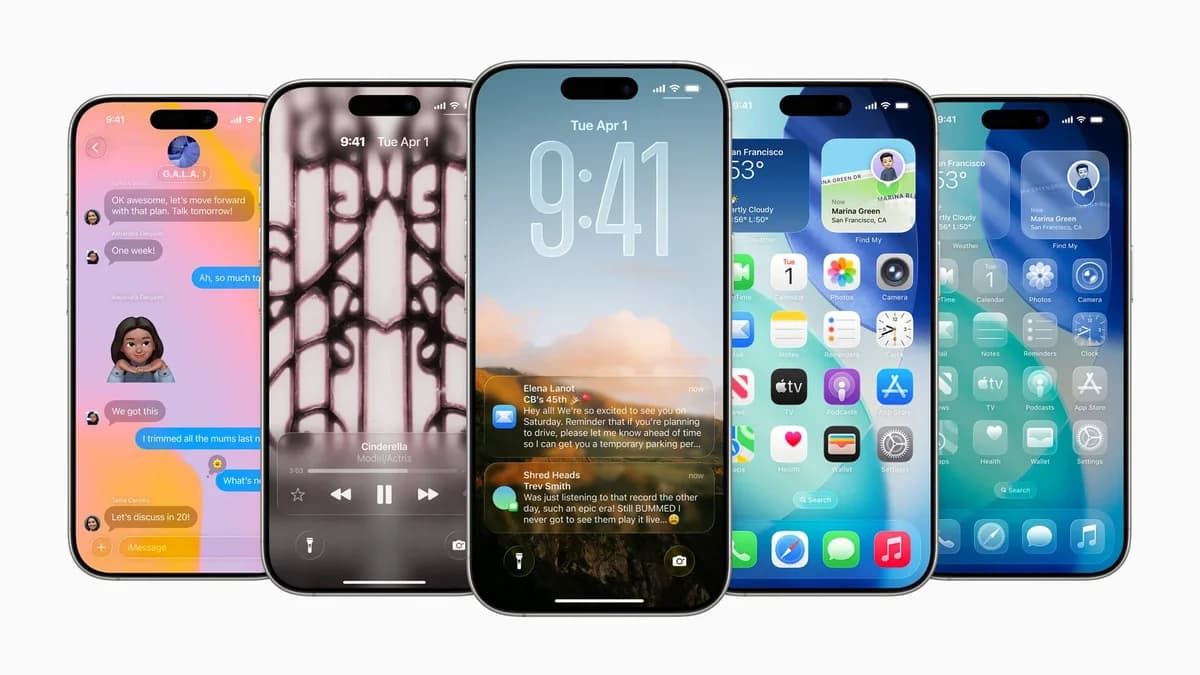
Apple is responding to user feedback and adding a new, more opaque look for its liquid glass design.
The "Liquid Glass" interface introduced in iOS 26 has been met with mixed reactions. Apple appears to be responding to user input by providing an option to adjust its intensity.
The "Liquid Glass" design in iOS 26 made elements on iPhones, iPads, and Macs more transparent. In the latest developer beta, 26.1 beta 4, users can choose to make the interface more opaque. The update will likely be available to the public in the 26.1 release later this month.
The new controls can be found in:
iPhone/iPad: Settings > Display & Brightness > Liquid Glass.
Mac: System Settings > Appearance > Liquid Glass.
Within the menu, users can select "Clear" for the default transparent appearance from iOS 26, or "Tinted," which increases opacity and contrast, according to Apple. The setting applies across the system.
The change affects Apple apps, third-party apps using Liquid Glass, and Lock Screen notifications. Apple stated the adjustment was made in response to user requests for control over the transparency.
The initial transparent design wasn't ideal for everyone. The default appearance could be distracting for those with busy wallpapers or those who prioritize readability.
Google's Material You on Android focuses on color customization, using wallpaper hues to theme the UI. Apple's initial push for a specific transparent aesthetic led to the need for adjustments. This update addresses design issues from the one-size-fits-all approach.
The "Tinted" setting may be preferable for daily use. The "Clear" version of Liquid Glass may have readability issues. The "Tinted" option resembles an earlier iOS 26 beta that was changed before the final release.
Providing options is beneficial for accessibility and user preferences. The "Clear" setting may be better for demonstrations, while "Tinted" is suited for everyday use.