Apple's iOS 26.2 beta is testing Lock Screen transparency adjustments.
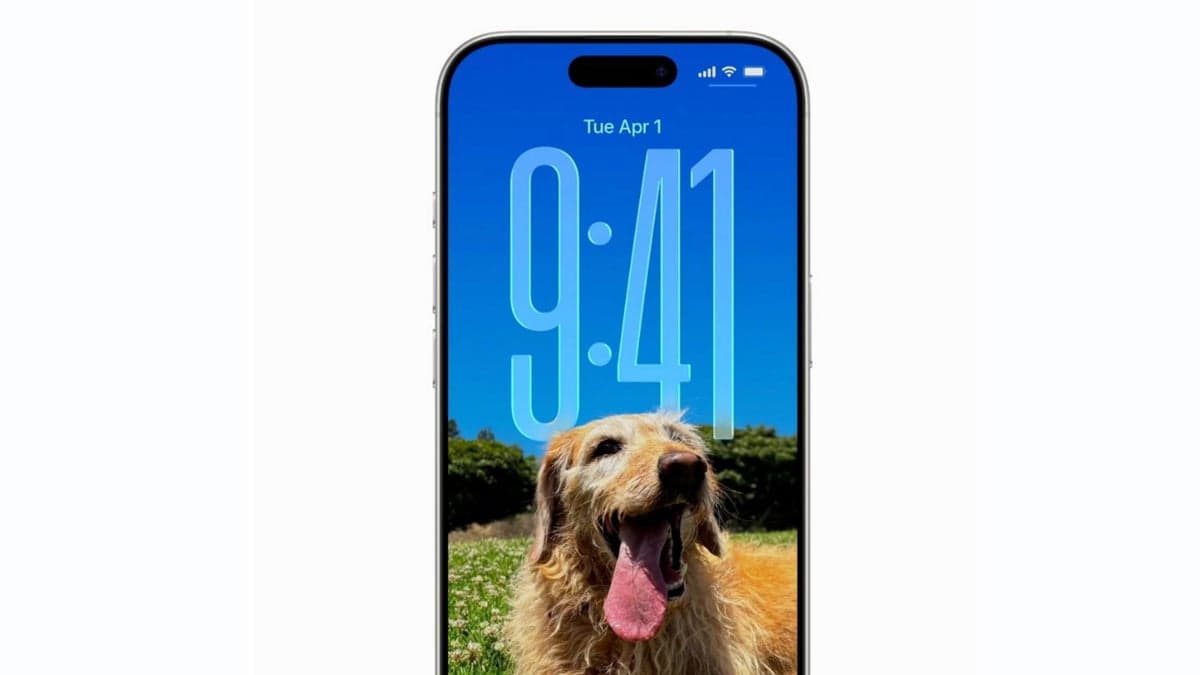
Apple expands Liquid Glass options so your Lock Screen can be as subtle or bold as you want.
The slider functions with all font selections, enabling users to adjust their Lock Screen clock's transparency from fully opaque to ultra-transparent, offering complete customization.
Located in the Wallpaper editing screen by selecting the clock, the slider offers more refined control compared to iOS 26's similar feature, which had a simple Clear versus Tinted toggle in iOS 26.1.
Currently, the clock can only be resized using the default font. It is expected that future beta versions will extend this capability to all Lock Screen fonts.
More Personalization Options
Providing additional options for Lock Screen customization is a positive step. Those who dislike the Liquid Glass redesign can maintain a more solid appearance. The slider enables enthusiasts of the new style to fine-tune the transparency to their preference.
Experiment and Customize
Although making the clock more transparent may not appeal to everyone, depending on the chosen wallpaper, the option allows users to experiment and personalize their Lock Screen.
To explore all the updates included in the iOS 26.2 beta, see: