FCC Chairman Carr tweeted about a proposed rule change targeting spam and scam calls.
The rule change would be voted on this spring and could also help some Americans find a job.
FCC Chairman Brendan Carr has addressed the issue of robocalls, highlighting that callers located overseas are using U.S. area codes to deceive Americans. Carr is proposing new FCC rules to prevent the practice of disguising the origin of phone calls, which could also affect legitimate businesses using overseas call centers.
Carr stated that this is part of the FCC's broader effort to combat illegal robocalls and that if the action leads to businesses moving their operations back to the U.S., it would be an added benefit. The FCC proposal would require calls originating from outside the U.S. to include verifiable geographic information indicating the call's country of origin. Last year, U.S. consumers received an estimated 4.2 billion robocalls, many from overseas, used to perpetrate scams, often targeting senior citizens.
Consumer protection groups support the proposal, and the FCC has opened a 45-day comment period for input from telecommunications providers, businesses with overseas operations, consumer organizations, and the public. A final vote could occur as early as next spring, with a possible 18-month phased implementation to allow wireless providers to update their systems.
The FCC is working to counter scammers who exploit overseas call centers to defraud Americans. Many people have expressed their frustration with these calls. Both iOS and Android offer methods to block spam and scam calls. iOS users can enable Silence Unknown Callers in Settings > Phone > Screen Unknown Callers, which prioritizes known contacts.
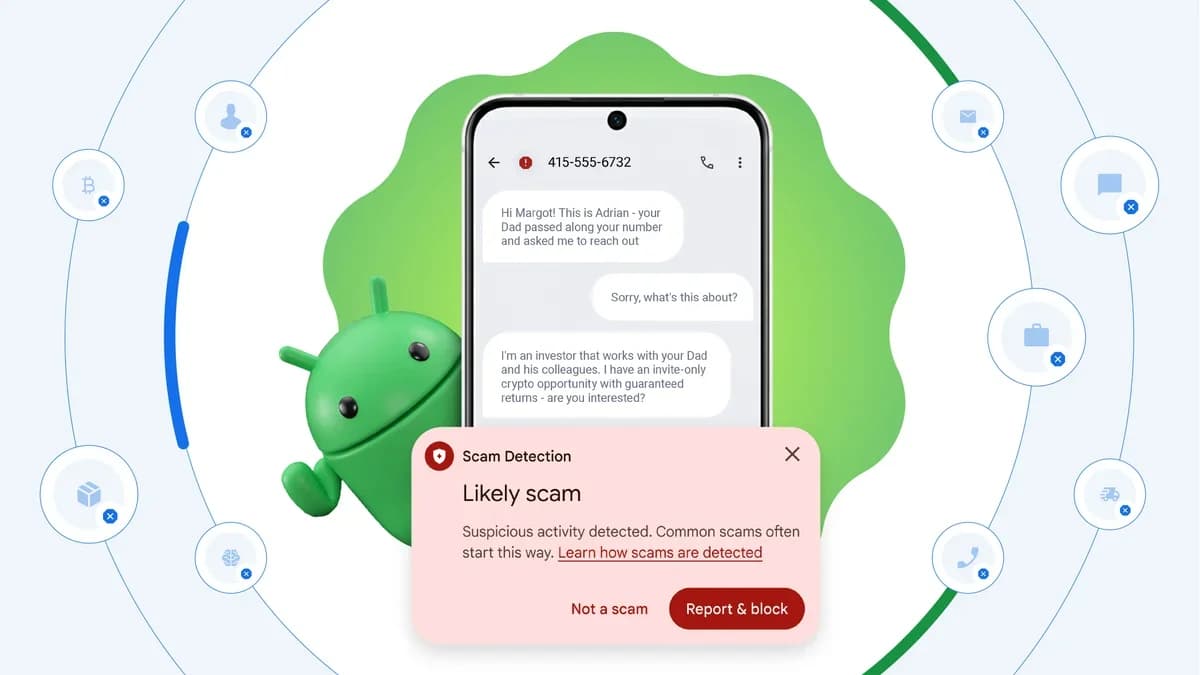
Android, using the Google Phone app, identifies spam calls and sends them to voicemail without ringing. This is done by opening the Phone app, tapping the menu icon, and enabling Caller ID & spam. Pixel users can use Scam Detection, found in the Google Phone app settings, to identify scam patterns and alert users. Call Screen, also in the settings menu, offers options for screening calls: Maximum, Medium, and Basic protection.
The Google Phone app also lets Android users silently identify spam calls, sending them directly to voicemail. Open the Phone app, tap the menu, and turn on Caller ID & spam. Pixel users can activate Scam Detection in the Google Phone app settings to spot scam patterns in calls. Call Screen, found in the same settings, offers levels of protection to screen calls.
The Google Phone app also lets Android users silently identify spam calls, sending them directly to voicemail. Open the Phone app, tap the menu, and turn on Caller ID & spam. Pixel users can activate Scam Detection in the Google Phone app settings to spot scam patterns in calls. Call Screen, found in the same settings, offers levels of protection to screen calls.
The Google Phone app also lets Android users silently identify spam calls, sending them directly to voicemail. Open the Phone app, tap the menu, and turn on Caller ID & spam. Pixel users can activate Scam Detection in the Google Phone app settings to spot scam patterns in calls. Call Screen, found in the same settings, offers levels of protection to screen calls.
These efforts by the FCC and smartphone features may help consumers feel more protected from scam and spam calls.