Google and the TSA are issuing security warnings for smartphone users.
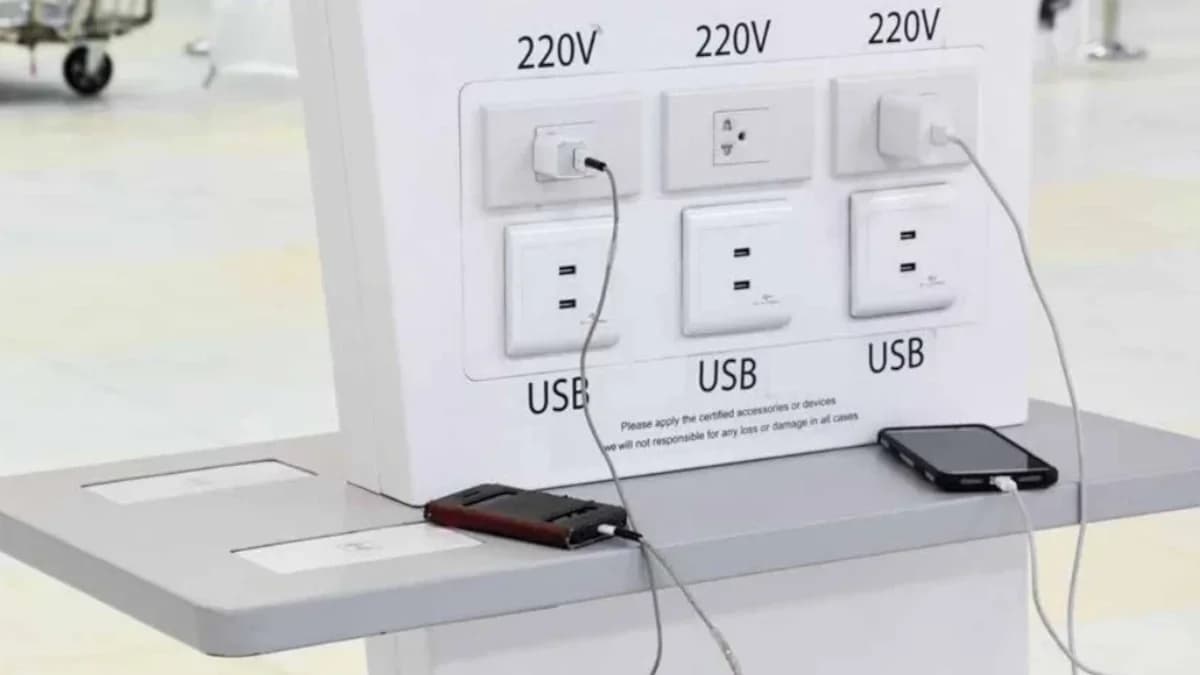
If you use public Wi-Fi or charging stations, you need to be smart in order to keep your data safe.
In its October 2025 "Behind the Scenes" report on Android text scams, Google warned that 94% of Android users are vulnerable to messaging attacks, describing them as "a sophisticated, global enterprise designed to inflict devastating financial losses and emotional distress on unsuspecting victims."
Google's report indicated that 73% of people are concerned about mobile scams, and 84% consider them a societal danger. To enhance safety, Google advises avoiding public Wi-Fi, a warning similar to one issued by the TSA in July.
The use of public Wi-Fi carries the risk of man-in-the-middle attacks, where unauthorized parties intercept data between a device and a server, such as a bank's website. Users may also inadvertently connect to fake Wi-Fi networks that mimic legitimate ones, like "Airport Free Wi-Fi" or "Starbucks Guest."
The TSA's caution contrasts with the FTC's stance. The FTC acknowledges the convenience of public Wi-Fi hotspots in public spaces. While such networks were once insecure due to the lack of data encryption on websites, the FTC notes that widespread encryption has made connecting through public Wi-Fi generally safe today.
Besides advising against public Wi-Fi, the Transportation Security Administration also cautioned travelers against using public charging stations, which could be compromised to steal data or inject malware.
To safely use public Wi-Fi and charging stations, consider the following: For Wi-Fi, use a secure VPN, avoiding free or Chinese VPNs. Only visit websites with a lock icon and "https" in the address, ensuring encryption. Verify the Wi-Fi identifier to ensure it is the official network. Disable automatic connections to unknown networks.
For charging, use a wall outlet with your own charger and cable, or carry a charged power bank. Employ a USB data blocker to prevent data transfer when using public USB ports. If prompted when connecting to an unknown USB source, select "Charge only" or "No Data Transfer."
Travel Easy with Nomad eSIM – 25% Off
25% off eSIM data-only plans & global coverage - enter code IPHONE25, sign up required
Check Out The Offer
Travel Easy with Nomad eSIM – 25% Off
25% off eSIM data-only plans & global coverage - enter code IPHONE25, sign up required
Check Out The Offer
25% off eSIM data-only plans & global coverage - enter code IPHONE25, sign up required
25% off eSIM data-only plans & global coverage - enter code IPHONE25, sign up required