Google's new "Camera Coach" feature for Pixel phones appears to be a useful AI photography assistant.
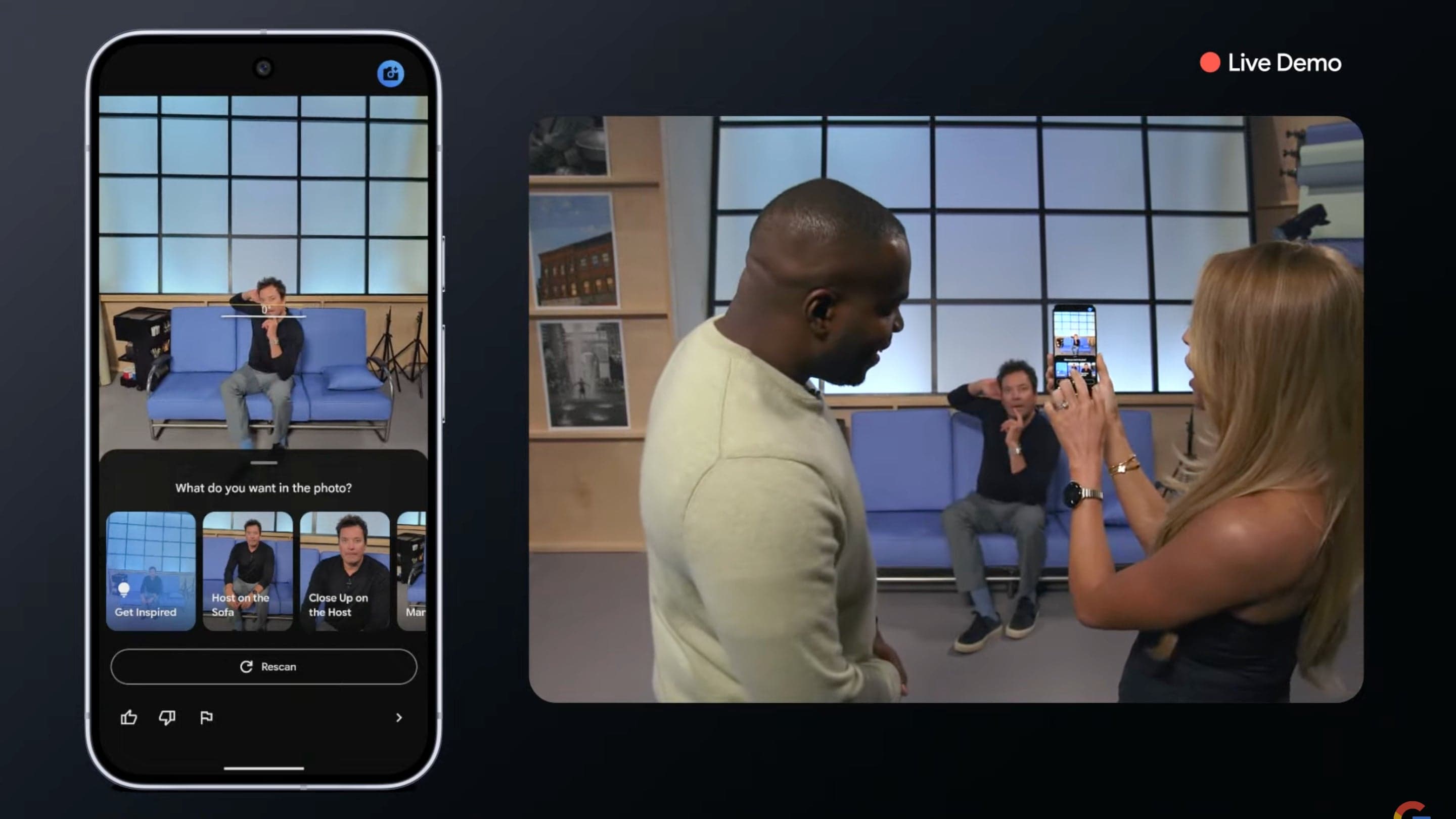
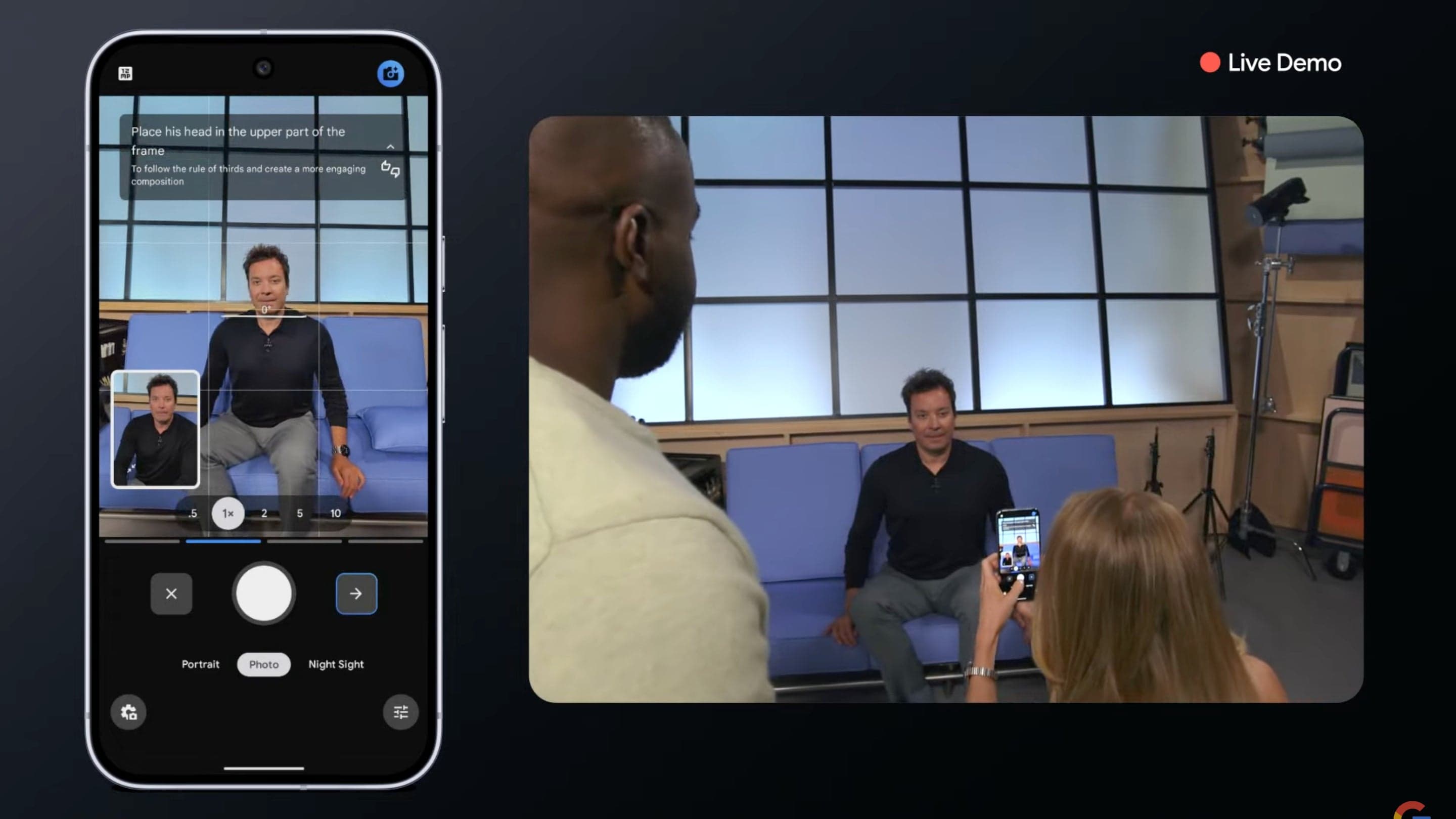
Google's new Camera Coach feature for Pixel uses AI to analyze your intended subject and offer real-time advice on framing and composition, effectively teaching the basics of better photography.
Rather than dictating artistic choices, it explains its suggestions, helping users avoid common mistakes like poor focus, bad lighting, and excessive headroom that trip up casual snapshooters.
Occasionally, an AI function emerges that feels genuinely useful, such as real-time translation for phone conversations, a feature Samsung introduced with the Galaxy S24. While promising, its initial execution seemed somewhat incomplete. Now, Google is advancing this technology with its latest AI.
Live Translate for calls has been notably enhanced; it's quicker and can translate using your own voice. Though potentially odd, it's also impressive. The Camera Coach feature stood out, utilizing AI to analyze your intended subject and provide advice on enhancing your shot's composition.
Initially, I planned a more critical review of Camera Coach, ready to mock the idea of AI dictating artistic expression. However, I reconsidered, thinking it could be beneficial if it explained its suggestions, effectively teaching basic photography. Many people struggle with taking good photos.
While I'm not an expert, reviewing phone cameras has taught me essential principles that, while not definitive, help in capturing decent images. When others use my phone to photograph me, I'm often reminded that many lack these basics. The results are often pictures with distorted perspectives, awkward posing, excessive headroom, unclear focus, and poor lighting.
I've even had to explain how to tap the screen to adjust focus. The Camera Coach probably won't cover advanced settings like shutter speed or aperture, but the Pixel presentation highlighted its potential for teaching framing. The AI assesses the scene, determines the intended subject, and then advises on positioning—closer, lower, etc.
Crucially, it explains the reasoning, such as suggesting eye-level shots for a personal touch or using the rule of thirds. These explanations are brief and don't elaborate on concepts like the rule of thirds. However, knowing it exists allows users to research it further, especially on a Pixel phone.
Samsung's Shot Suggestions, which offer basic guidance on centering and angling shots, lack explanations and often miss the mark. I appreciate that Google's Camera Coach seems to aim for more. I'll test it thoroughly once I can.
My overall view on the influx of AI features hasn't changed much, but I've gained a new perspective. Many AI features are marketed as all-in-one problem solvers. This often leads to disappointment because the AI isn't always capable of performing flawlessly and because the problems they address aren't always significant.
The new Magic Cue feature, which anticipates the content of emails and texts to suggest responses, is impressive, but its usefulness is questionable. For example, if someone asks about your arrival time, it will scan your travel details and provide a ready-made response. I foresee instances of AI-generated inaccurate answers.
What issue does this solve? Is it so hard to type "8:30 PM"? AI excels as a learning tool.
While it may not offer expertise in every field, it can provide a solid foundation. That's how I've been using it, and I believe it has been helpful. The Camera Coach fits this model—AI that aids in learning the basics and inspires further exploration.
Otherwise, it can simply help improve your photography skills. In short, it should prevent unflattering photos.