Google will let Pixel users customize the shapes of app icons on their home screens.
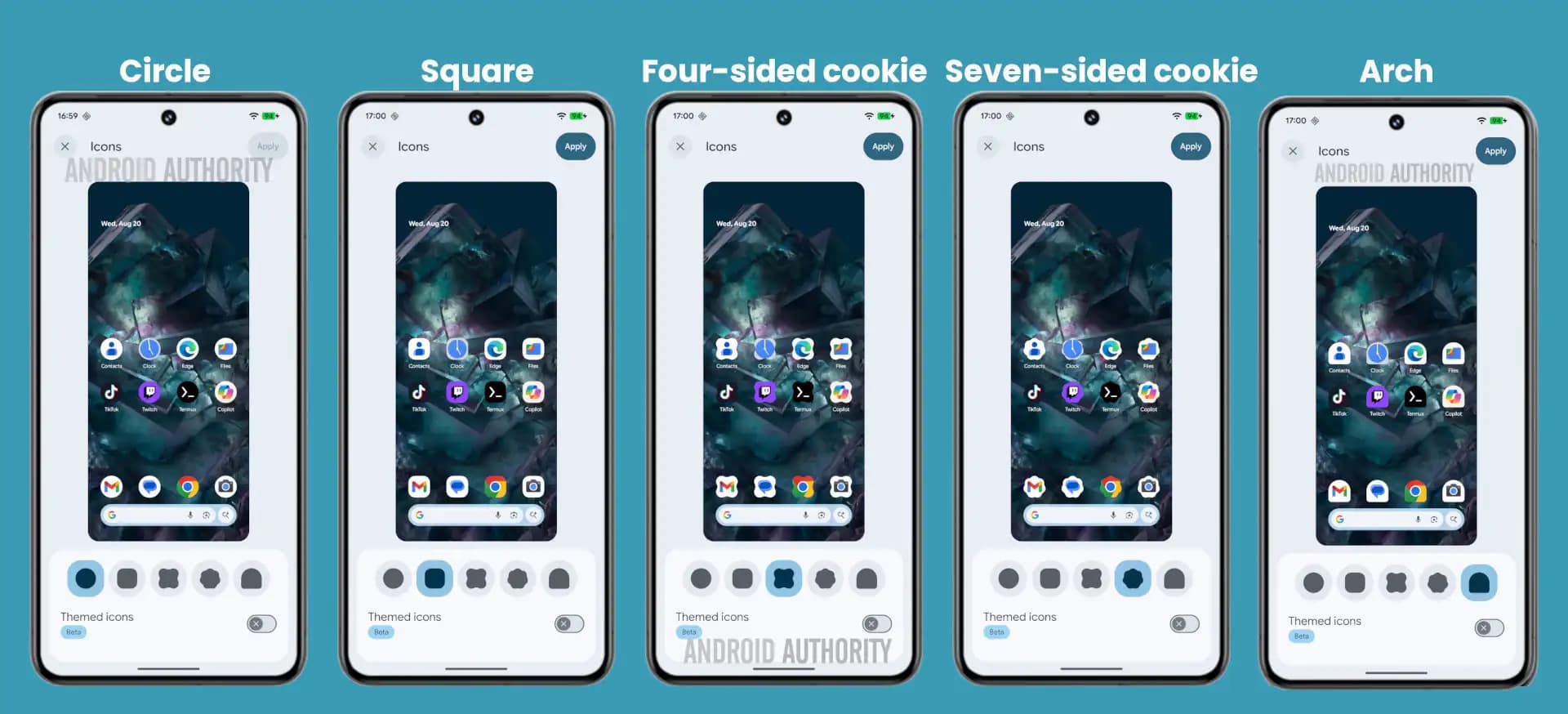
Google is letting Pixel owners customize the shape of app icons on the home screen, reviving a personalization option that debuted on Android 12 and was later removed.
Five shapes are currently available in the latest Android 16 Canary build, offering a simple but meaningful way to change the look of a device.
Android's New Icon Shapes The ability to alter icon shapes on Android isn't entirely new. It was available on the Pixel Launcher with Android 12, but was later removed. This feature initially appeared in an early Android 16 beta version last year.
A more developed version was observed in the Android 16 Beta 3 code in March. A menu containing six shapes was discovered then. These included the five shapes in the current Canary update, as well as a more complex clover option, which is no longer present.
While these design adjustments may appear minor, they are actually quite important. Icon shapes may conflict with icon content, which could explain why one of the earlier shapes has been removed. It's also a simple way to significantly change the look of a home screen.
Android has long been known for its extensive customization options. The Pixel 10 and Galaxy S25 Ultra, for example, provide more customization than the iPhone 16. This is why all of the finalists in our home screen competition use Android phones.
I enjoy the option to customize my devices, but I rarely do so. Whenever I try to change my home screen too much, I end up with an unusable layout and quickly revert to the default. As a result, while this change isn't a game changer for me, I appreciate it.